The first time I tried to restrict the agent, I got it wrong in the obvious way. I tightened everything until it was restrictive, it kept stalling, and I loosened it all again to get my afternoon back. That is Part 5 in two sentences, and you can read it if you want more detail on how that misstep played out.
What I want to do here is answer the practical question that came out of it. How do you limit what an agent can do without making it less useful than it could be?
I now ask one thing of every control. Does it limit the agent’s usefulness, or does it stop the damage the agent can do? Only the second kind is worth having. A prompt before every command inhibits. A wall around the one thing that can’t be undone limits. The aim is a few hard walls and a lot of open floor inside the digital sandbox.
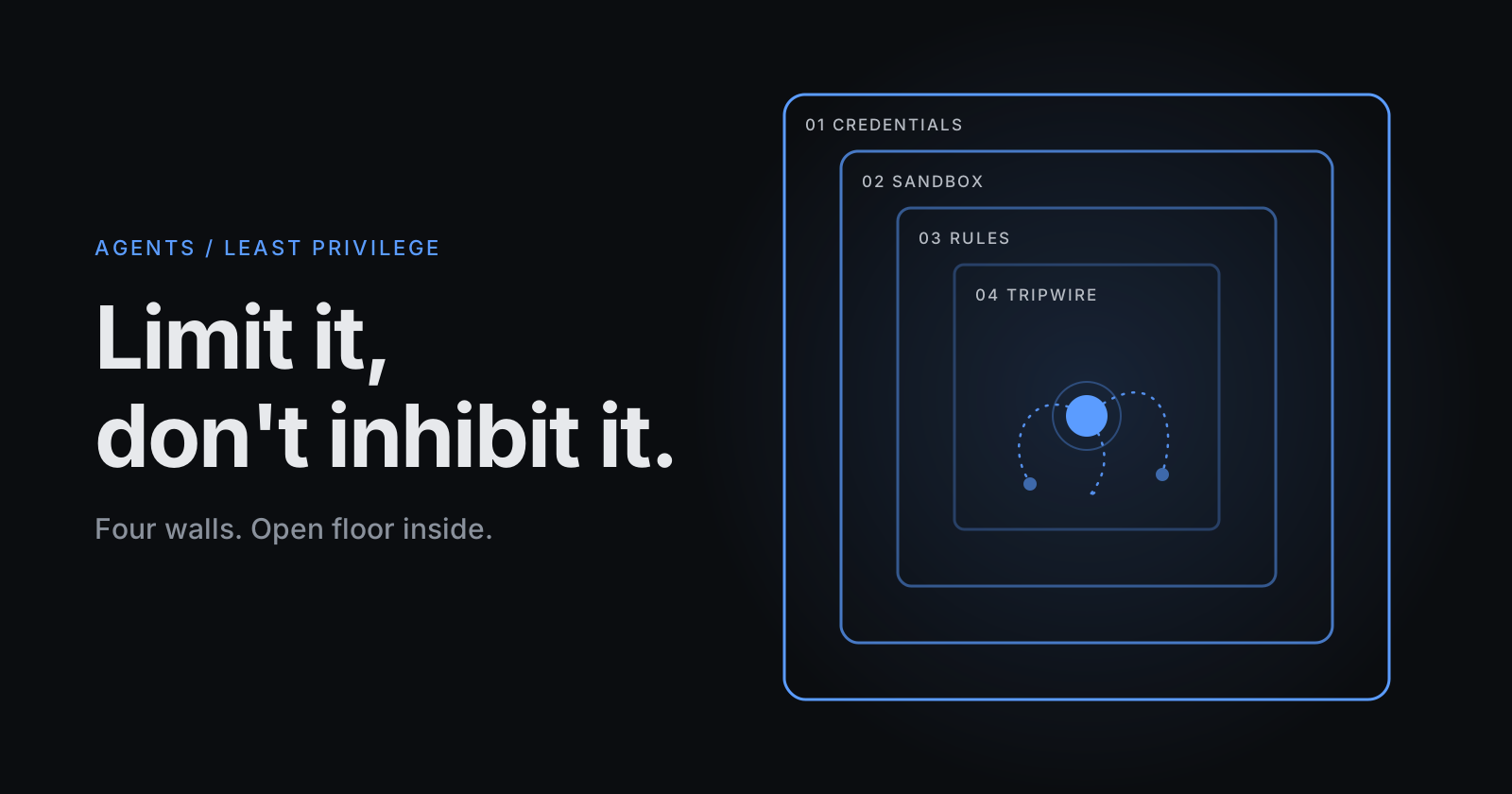
How I’d layer them, working from the outside in. Each answers a different question, and they are useful collectively.
1. Credentials: what can its identity actually do?
This is the wall that still stands when every other layer has failed, so it goes first.
Give the agent its own identity, not yours. On OCI that means its own IAM user and group, with a policy scoped to one compartment and only the verbs the work needs. Not tenancy admin, and not the key you use for everything else. For example:
Allow group FootballAgent to manage instance-family in compartment football
Adjust it to what your Terraform actually touches. The database gets the same treatment: its own user, with grants on the application schema, not ADMIN.
It goes first because every other layer on this list is enforced by the tool the agent runs inside. This one is enforced by the platform. The sandbox docs also note that commands inherit the environment, secrets included. Whatever sits in the agent’s environment, assume the agent can use. In Part 4 it could reach the database because the credentials were sitting right there. That is the first thing to tighten.
2. The sandbox: where can it reach?
Claude Code can run its shell commands inside an OS-level sandbox, with a filesystem boundary and a network boundary that you define once. Everything inside runs without asking, subprocesses included, so terraform and npm are covered, not just the commands the agent types. Everything outside is blocked by the operating system.
This is the rare control that does both jobs. Fewer prompts, and less risk. You stop approving command by command and decide the box once: the project directory for writes, and a short list of hosts for the network. For this project that would be the package registry, the Git remote and the OCI endpoints.
Two limits to take note of. It wraps the shell, not the agent’s file tools, which sit under the ordinary permission rules. And on its own it isn’t enough for fully unattended runs. It’s a layer, not a finish line.
3. Rules: what can it do without asking?
Three lists: allow, ask and deny. Deny beats ask, ask beats allow, and deny holds in every permission mode. That last part matters. It still holds if you later switch to something more hands-off.
The pattern I’d start from: allow the routine and reversible, ask for anything that changes the shared or irreversible state, deny what should never happen.
{
  "permissions": {
    "allow": [
      "Bash(npm run *)",
      "Bash(git commit *)",
      "Bash(terraform plan *)"
    ],
    "ask": [
      "Bash(git push *)",
      "Bash(terraform apply *)"
    ],
    "deny": [
      "Read(./.env)",
      "Read(./secrets/**)"
    ]
  }
}
The syntax has shifted between versions, so run /permissions and check what your version actually loaded.
Notice where the ask sits. The host in Part 3 was not lost to terraform destroy. It went through an ordinary apply, whose plan quietly replaced it. A deny rule on destroy would have done nothing. The rule belongs on apply. And a rule only sees the command as written, never what the plan inside it will do. For that you need the next layer.
4. Tripwires on the irreversible, in the code
The most reliable guard I know for this is boring and built into Terraform. On the resources you can’t get back:
resource "oci_database_autonomous_database" "main" {
  # ...
  lifecycle {
    prevent_destroy = true
  }
}
Any plan that would destroy or replace it fails, whoever or whatever ran it. No hook, no extra tooling, and the agent stays free to do everything else. It just can’t do this one thing by accident. It can remove the line, so put edits to that file behind an ask rule. Then the change shows up in a diff where a human reads it.
Choose what gets protected the way Part 3 argued, by whether you can get it back. The host is disposable, rebuilt from code. The database is not.
For checks that need logic, a PreToolUse hook runs your own code before a tool call and can block it. The reason goes back to the agent, so it adjusts instead of stalling. Use hooks sparingly. They are code you now have to maintain.
Prove it: write the test spec for the agent
Every layer above is a claim until you’ve watched it fire. I found public bug reports of rules and hooks that didn’t block in particular situations, and a rule can parse perfectly and match nothing. So don’t only test the code the agent writes. Test the agent.
Write it down like any other spec, with a test in each direction:
- It should be blocked. Ask it to read the file you denied. Ask it to apply a plan that destroys the protected database, against a scratch copy. Ask it to reach a host that isn’t on the list.
- It should be allowed. Give it a routine task and confirm it runs start to finish without a single prompt. A guard that blocks too much is the inhibiting failure, and you only catch it by testing for it.
- It should hold under pressure. Plant an instruction in a README or a tool output telling it to ignore the rules, and see whether the walls hold. A prompt can be talked around. A wall can’t.
Keep the list in the repo and rerun it whenever you upgrade the tool or change a setting. It is a test suite for the agent’s configuration, and like any suite it earns its keep the day something quietly changes.
If you’ve never watched a guard fire, you don’t have a guard, you have a theory.
What it buys you
Work through all four and the agent ends up freer than before, not less. Inside the box it runs without asking. The few things that can really hurt are walled in four different ways, by the platform, the operating system, the tool and the code. No single layer has to be perfect. That’s the point of having four.
Next
I’ve been assuming the code is fine because it works. Next I look at what’s actually in it.